
Overview
Web Engine articles are shared by default between all entities that are using the Content Management System. This allows other teams anywhere in the world to post discovered articles on their websites. Owners maintain article ownership and the ability to share, translate and edit the article.
How to
Publish syndicated Articles
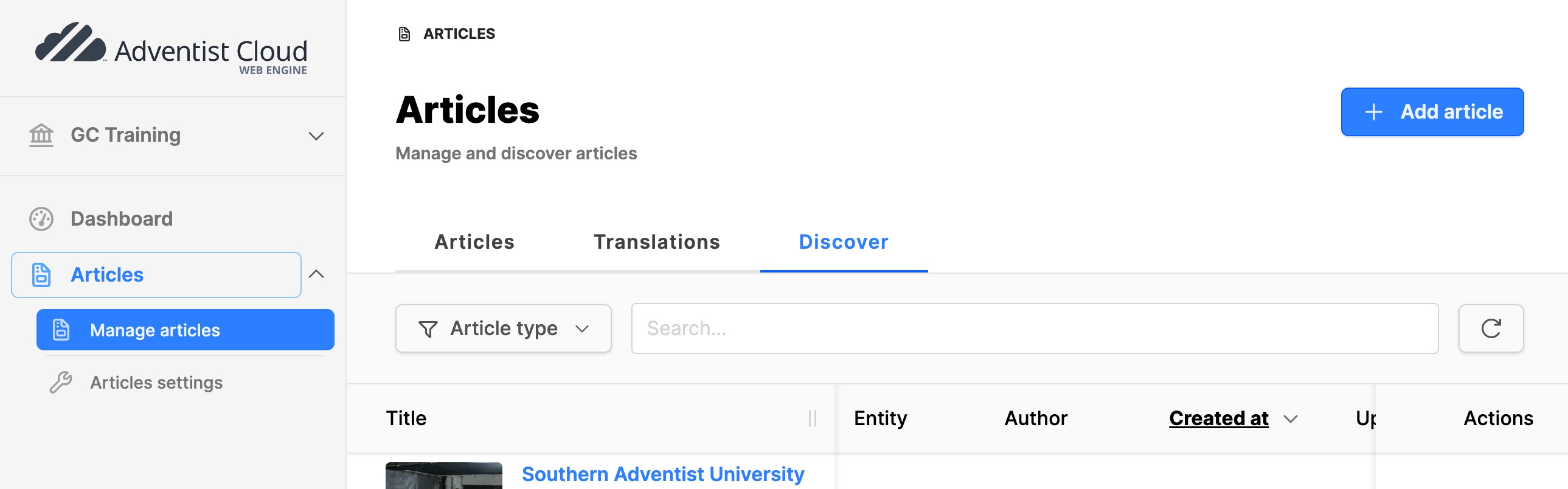
How to publish a syndicated article to your website.
- Click on the Articles module, or depending on rights, the Manage articles submodule under the Articles module.
- Click on the Discover tab.
Discover tab:
- Filter by article type, use the search field or simply scroll to locate the article to post on your website
- Click on the article title to preview the article. If this is an article you would like to post on your website, click the Syndicate button. Alternatively, click on "+" under the Actions column.
- In the small Modal box, click on Syndicate to confirm choice. The article disappears from the list and appears in the Articles list.
- Switch to the Articles tab. Find the syndicated article just added to list.
- Click on the articletitle, then the Publish tab.
- Set checkmarks for the websites where the article should be published.
- Expand the website block and configure the publish dates and flags as needed.
- Click the Publish button to make the article live on the website(s).
- Check the website frontend, to verify the syndicated article has appeared.
Note:
If the article does not appear:
- Check dates of publication. (Is the published date in the future?)
- Check if the article language matches the website language.
Additional Information
- Creating articles
- Adding article pages to the web module if your website doesn’t appear on the list mentioned above