
Overview
Website Collections are a way to group together articles and/or episodes, for displaying on the website. It is the pre-filtering of articles or episodes from all the available articles or episodes of a particular show. These two types can also be combined into a mixed type Collection, for a hybrid third option.
This is an advanced topic, and for most websites, this type of functionality will not be required on a regular basis. Unless one has a large media library or large number of articles, it would be advised to use the standard filtering available on the frontend blocks of the CMS, as the Collections functionality adds a layer of complexity most websites will not need.
Note: Collections for the website can be collections of articles or episodes. There are also, Collections for the media library, these are covered under a different article.
Notes:
- A list page is required for listing all content from collection
- A detail page, below the list page, for displaying item selected on list page
- It is required to have these two pages in place, before creating the collection
How to
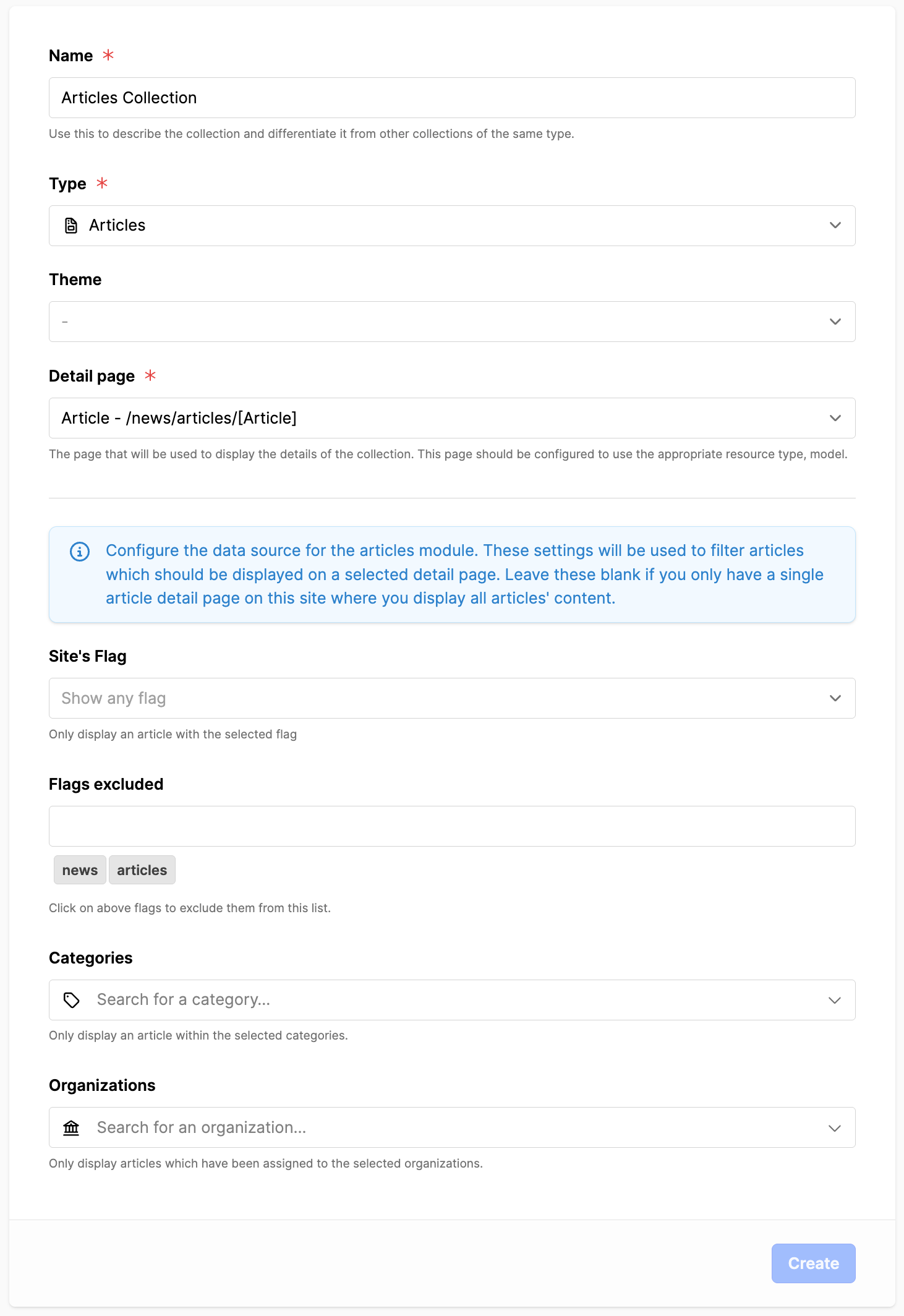
Create a Collection of articles
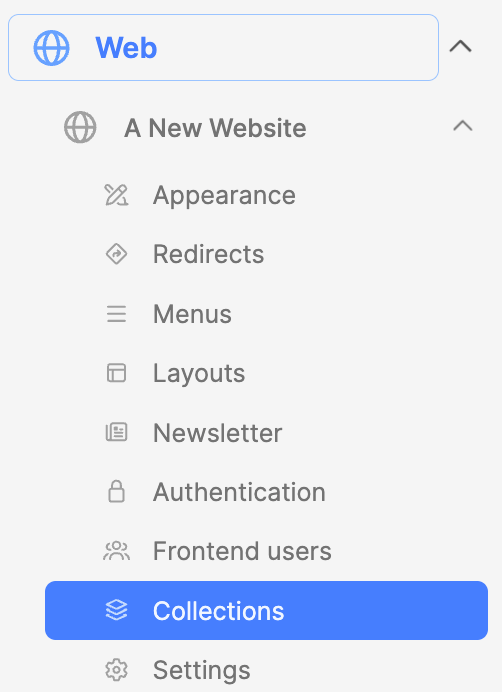
- Click on the website sub-module "Collections"
- Click on "Add collection" button
- In the next screen:
- Name: Provide a name for the collection
- Type: choose articles
- Detail page: set website detail page
- To help filter:
- Site's Flag: select flag, if needed
- Flags' excluded: select flag, if needed
- Categories: select one or more, if needed
- Organizations: select one or more, if needed
- When ready, click on the Update button
Using a Collection of articles
- Click on the website name to open the pagetree
- Click on the page title to edit page content
- Ex. News page, click on "News" page title
- Look under the Articles block
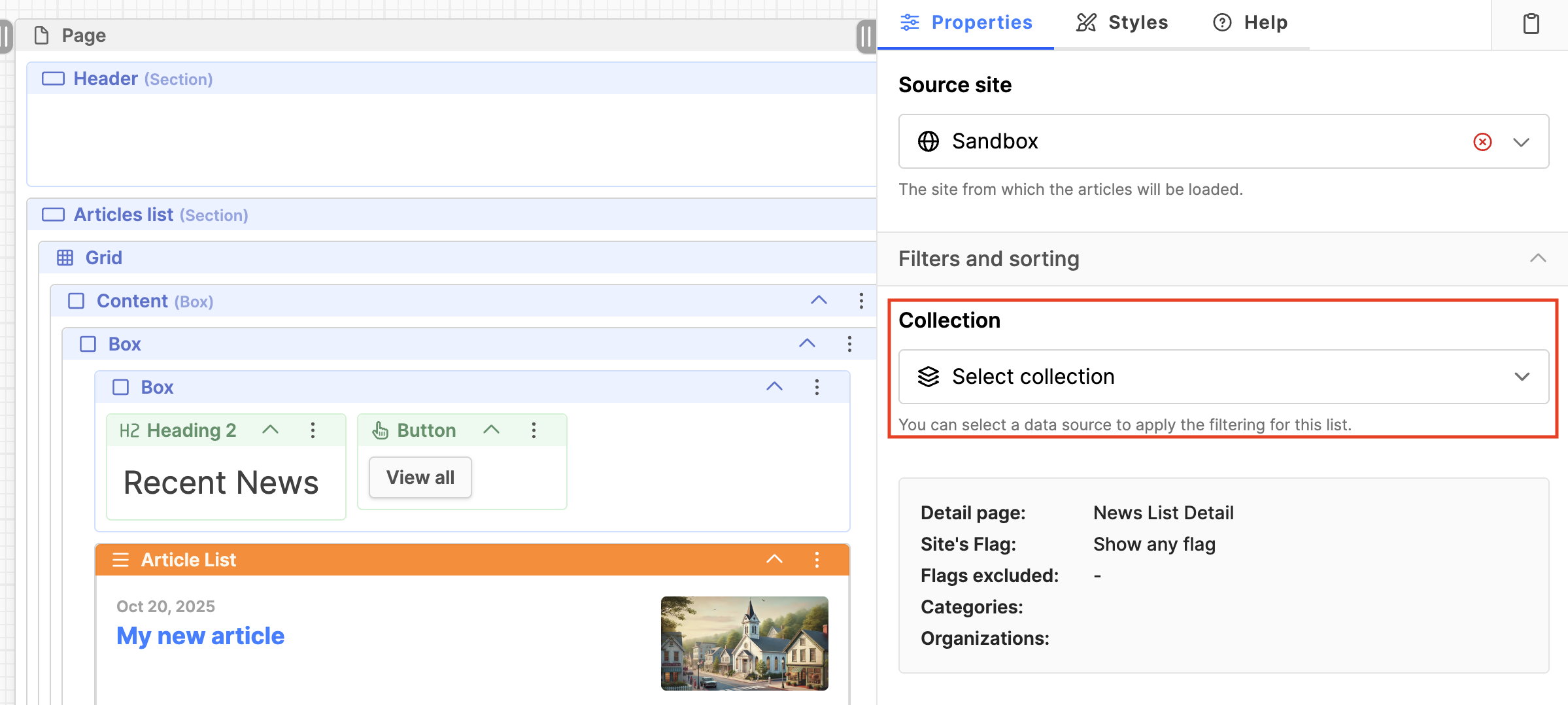
- Drag and drop the block "Article list" on the page
- Look on the Properties tab, under Collection
- Collection: select newly created collection
- Note: When a collection is used, the standard fields for Filters and sorting may not appear, as the values are already set from the collection.
- Check the results in the frontend to verify the desired articles are appearing in the list.
Additional Information
updated 2025-12-11