
Overview
This article covers how to update the content on and how to make sure any content of, or connections to, the original website have been removed for the new website. At this time, we should make sure that the new (cloned) website content and settings are updated.
Please note, if you are new to Web Engine or have not done the cloning operation on a website, this review should be done by your administrator. Many of the items below require some knowledge of how Web Engine works.
Notes:
- Depending on the particular design of the website, some elements below may not need to be done.
- If you receive a clone in a language other than the language you need it in, please see the note on translation at the bottom of this article.
- If the cloned website is a relaunch or a rebuild of the original website, which will be updated and then used to replace the original website, please carefully consider what should be changed!
How to
Check submodules below the website and click the blue Update button if changes are made.
- If you do not see a submodule, ask your administrator to check these areas for you.
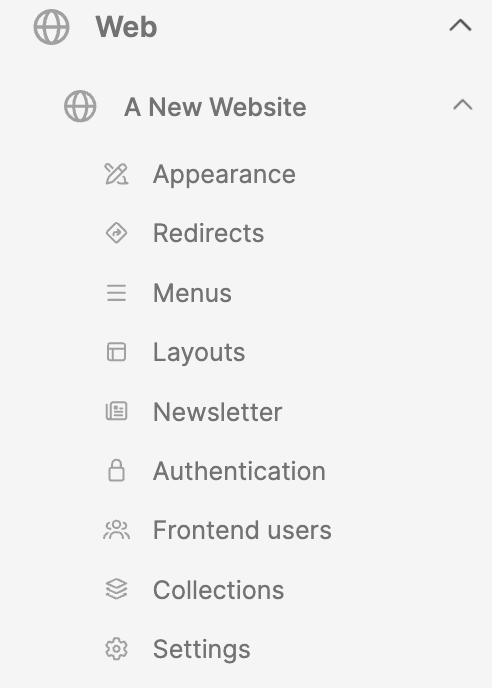
Website Appearance
Web module > Website > Appearance
For the updates to the Appearance submodule, see the link at the bottom of the page.
Website Redirects
If you receive a cloned website, and redirects are listed for the original website, these may need to be deleted. One case where you may not want to do this is if the clone is a relaunch website; meaning the clone of the original website will replace the original website once all the work (on the clone) is completed. In this case you will want to keep the redirects!
Website Menus
Update the menus as needed on the clone website. Consider the new design you are implementing. See the link for Creating menus in Web Engine at the bottom of this article.
Website Layouts
If these were used, but no longer needed, these could be deleted. Check your design.
Website Newsletter
If the field Newsletter provider is set, AND the new website needs to have a newsletter, this section will need to be reviewed. If the Newsletter provider is not set, skip this.
Website Authentication
- If Authentication enabled is set, AND the new website needs to have frontend user accounts, this section will need to be reviewed. See the link to Frontend user authentication at the end of this article.
- If the Authentication enabled is not set, skip this.
Website Frontend users
This is simply a list of the frontend users. For the clone this should probably be an empty page. If this is for a relaunch website, then the frontend users from the original website may be displayed. In either case, there is probably nothing to do here.
Website Collections
The average website will not need this functionality. If the clone contains collections, one should consider if these are needed on the new website. If needed, then review these for the new website; if not needed, then remove these.
Website Settings
Web module > Website > Settings (check all fields for all tabs)
- General
- Name
- Title
- Logo
- Description
- Language (Update if required)
- Flags
- Check with your administrator if you need to keep these
- Notifications
- Review to see if you should keep these or remove them
- Translations
- Review any translations
- If content will be updated, suggestion would be to remove and rebuild
- Advanced
- Template settings
- Built-in Analytics
- RSS Feed
- E-Mail settings
Check all the website pages (backend)
Note: The List varies with the website cloned and what functionality it had. The key thing is to go through the pages of the website and look for connections to the original website, then update to point to the elements, modules, etc., for the new website.
If the cloned website uses a Media Library:
- Check all frontend blocks to verify they are pointing to the new Media Library
- Homepage
- Shows list page
- Show detail page
- Episode detail page
- Schedule pages
- Livestream page
- Podcast pages
If the cloned website uses Articles (news, Bible topics, etc.):
- Check all frontend blocks to verify they are pointing to the new Articles module, Organizations, etc.
- Check to verify that Article List view pages have the correct detail view pages.
- Check to verify that Detail pages are configured for any block listing articles.
If the cloned website uses the Church Finder block:
- The Church finder block can be used to look for specific entity types (churches, unions, etc.).
- Make sure the entity type to filter on is correct (default is Church).
- Check the entity.
- Review the map settings.
- Check to verify that the Detail pages are set.
If the cloned website uses Events:
- Check the Events List page. Check the Event list block properties for special filtering.
- Verify the Event Detail page is properly setup in the list block.
- Check the Event registration block.
Check all the website pages (frontend)
- Review cloned website frontend.
- Ensure everything is working correctly.
- Look for frontend content that is coming from the original website:
- Review page blocks in the backend as per above.
- Replace/remove static content that is from the original website.
- Check for updates to:
- Logos
- Names of the entity
- Descriptions dealing with original website
- etc.
Additional Information
- Setting website Appearance
- Creating menus in Web Engine
- Translation of website if you are using multiple languages on the website
- Frontend user Authentication