
Overview
Before go-live of a website, it's a good idea to block the website from search engine indexing. This will prevent the website from being listed in search results. Under normal conditions, most websites will want to be indexed by search engines, so they are listed in the search index and when people are searching for their content, the website will be found in the search results.
When the website is ready for launching, the robots.txt file needs to be removed.
How to create a robots.txt page
Navigate into the website under the Web module.
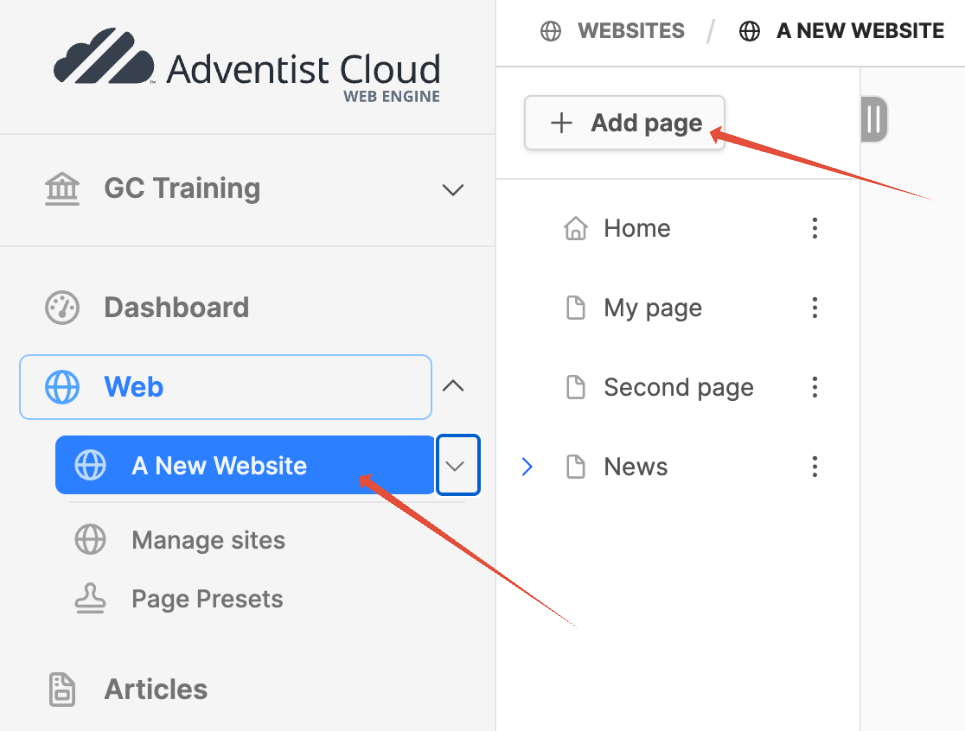
- Click on website title where the robots.txt file is needed.
- The page tree should open on the right side.
- At the top of the page tree, click on the Add page button.
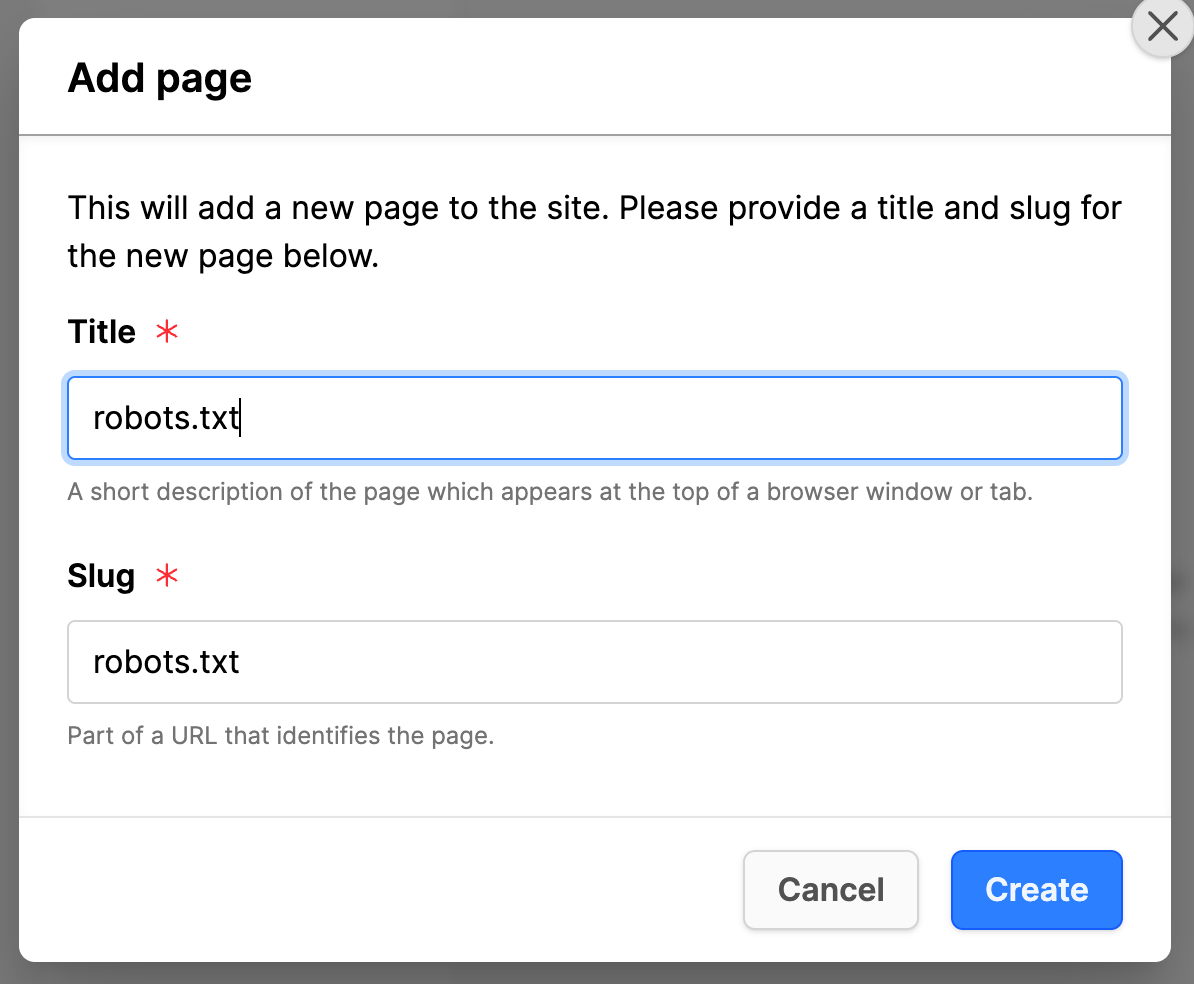
- In the Add page modal box:
- Title: robots.txt
- Click on the Create button.
- The Page preset list will appear, do not add any preset to this page!
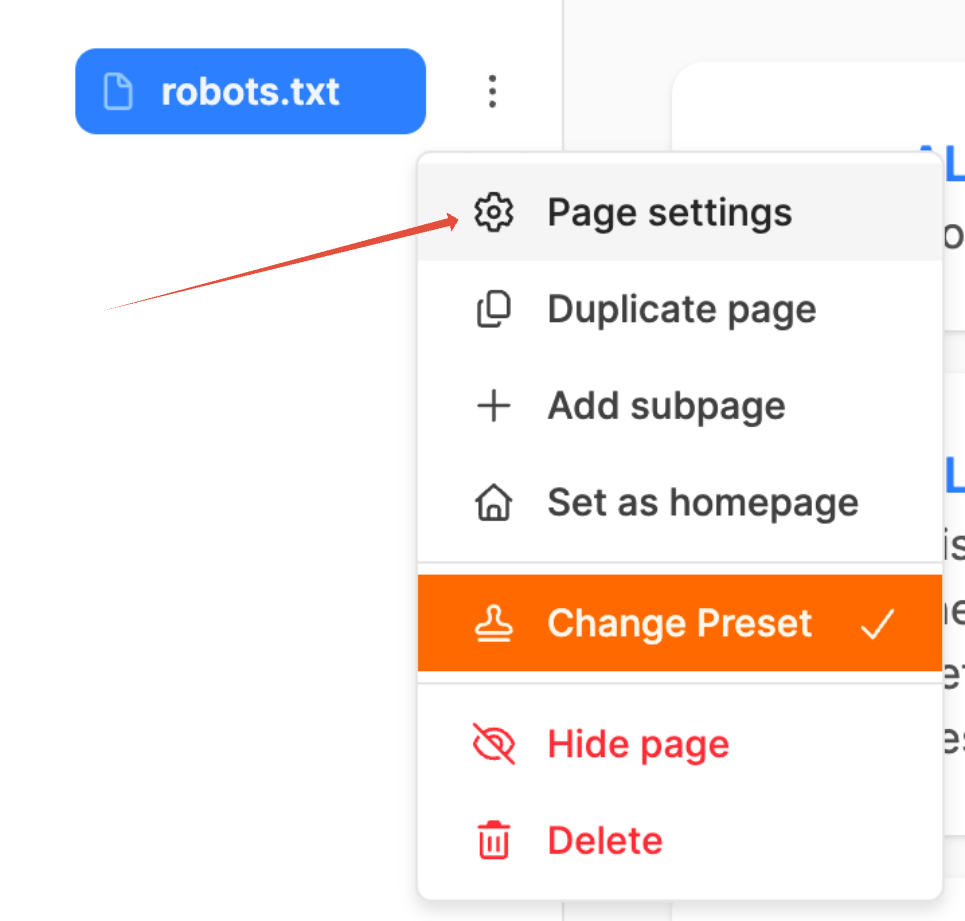
- Click on the 3 dots next to the page title and open the Page settings for editing:
- Under the General tab:
- Title: robots.txt
- Slug: robots.txt (The slug needs to be modified to exactly "robots.txt" and not robots-txt!)
- Click on the Modify button, modify the text, and click on the green check to accept the changes to the slug.
- Scroll down to Hide in menus: Set checkmark.
- Hide in Sitemap: Set checkmark.
- Hide in breadcrumbs: Set checkmark.
- Click on the Update button.
- Scroll back up and click on the Advanced tab:
- In the side menu, click on the Text option.
- Outputs text: Set checkmark.
- Text Content (add next 2 lines):
User-agent: *
Disallow: / - Click the Update button.
- In the page tree, drag and drop the page to the top of the page tree of the website. This helps to remember to remove it before the website goes live.
Website launching
When the website is ready to go-live, simply delete the robots.txt page and the effects of the robots.txt file on search engine indexing will be removed.
Additional Information
- SEO configuration
- Testing tool for checking the robots.txt file: https://technicalseo.com/tools/robots-txt/