Overview
An Entity can be a division, union, conference, local church, media center, university, school and so forth. Entities are the pieces or elements of the organization that make up the entirety of the organizational structure. In Web Engine each entity has data fields, which are used to store the information about the entity. Assuming the entity has these fields populated, the data can be displayed in the frontend, by the use of special entity variables.
Entity variables can be used in a website or template, to display the entity data in the frontend. This could be used in the case of a local church, where the local church (entity) has no one to support the website, but a it wishes to dynamically display their data on the website. In this case a template is built and the local church is mapped to use that website template. Then in the frontend, the church data appears on the website (template).
The entity data can be filled manually, by a one time data import or best case by using an input from ACMS. The ACMS data import can be scheduled, so that entities simply need to keep their ACMS data current, and the information will be used on their website.
How to
Configure the website to use entity data
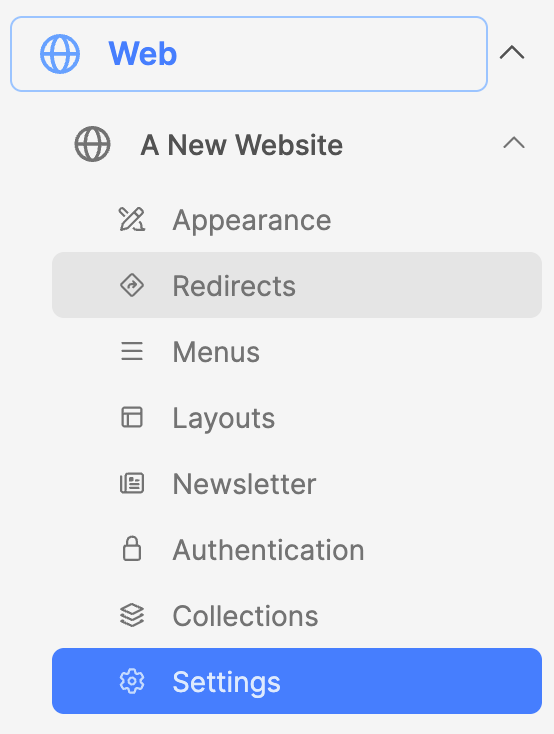
- Under the Web module, expand the website.
- Then click on Settings to open the website settings interface.
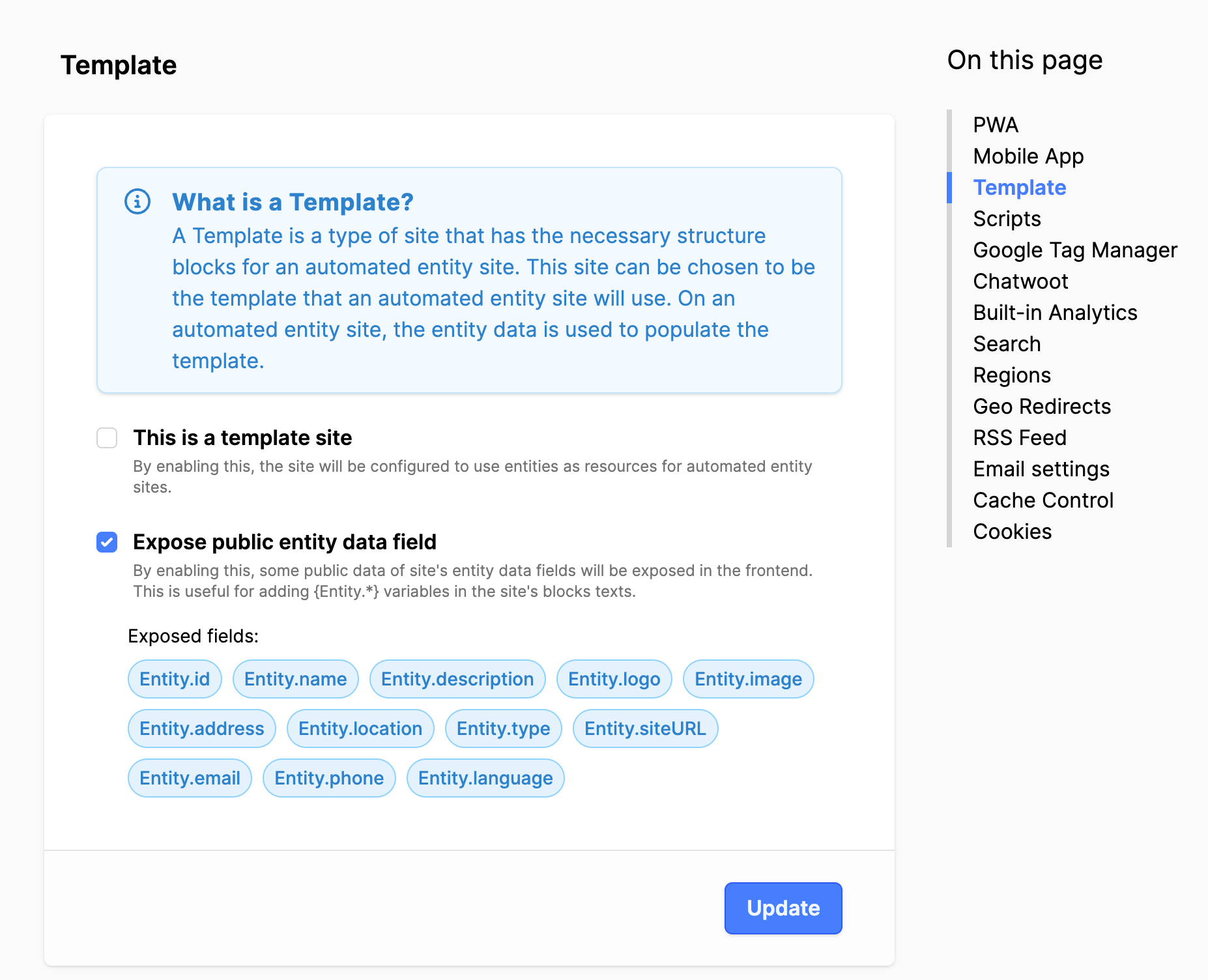
- Click on the Advanced tab.
- In the menu on the right, click on Template.
- Expose public entity data field: Set a checkmark.
- Click on the Update button.
Using the entity variables
To display the data from the entity, use the entity variables in a Simple text block, Header block or properties field to display the entity data dynamically in the frontend. The data can also be used in the fields for the website settings and page settings. Basically, the entity variable should work in any text field in the backend, where that text appears in the frontend.
When using entity variables, it is very important to have the period between the two words, otherwise the functionality will not work. So, for {Entity.name} the period is crucial to have.
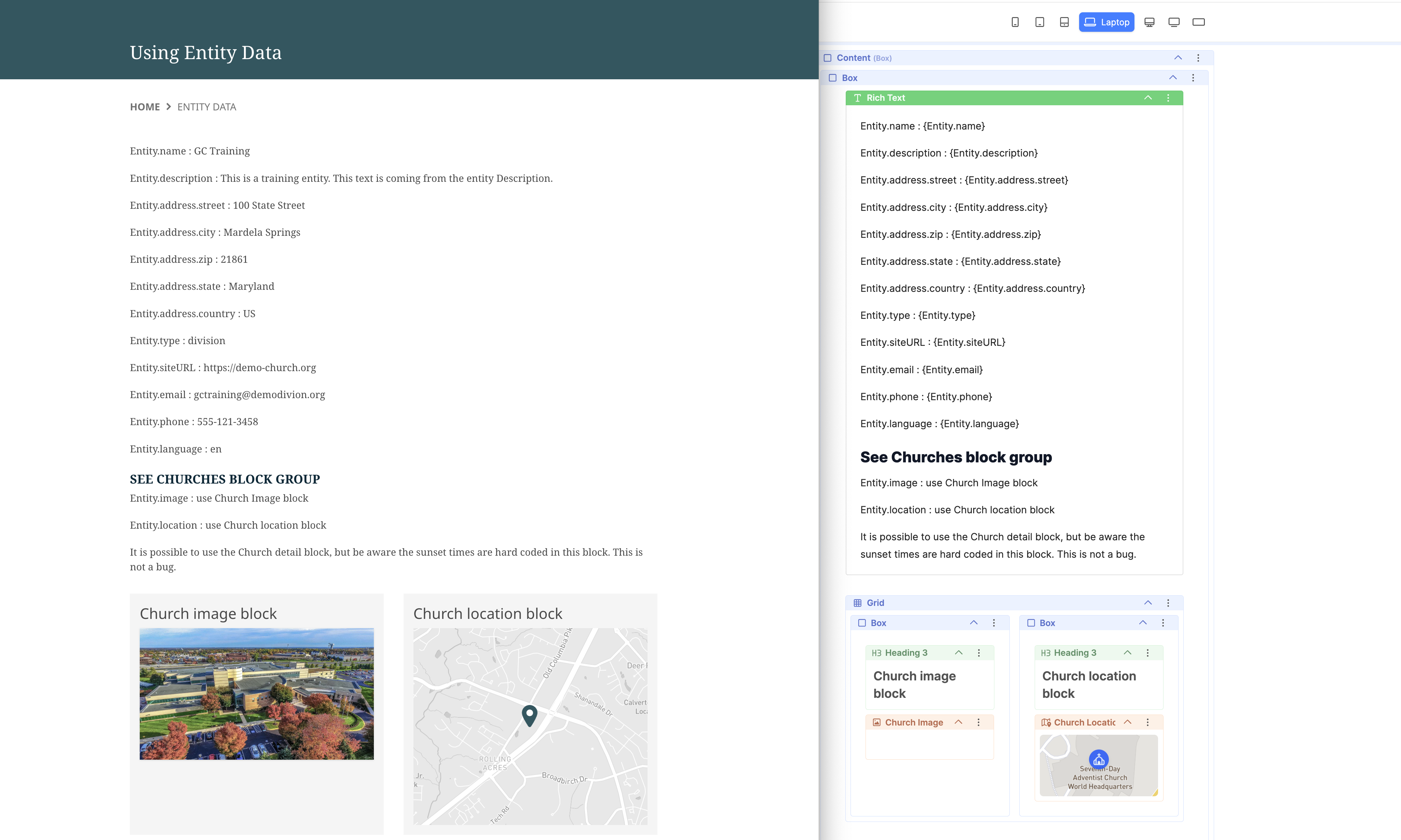
To demonstrate: Copy the entity variable list below and paste it into a Rich Text Editor (RTE) block, Save and View online (in the frontend).
Entity.name : {Entity.name}
Entity.description : {Entity.description}
Entity.address.street : {Entity.address.street}
Entity.address.city : {Entity.address.city}
Entity.address.zip : {Entity.address.zip}
Entity.address.state : {Entity.address.state}
Entity.address.country : {Entity.address.country}
Entity.type : {Entity.type}
Entity.siteURL : {Entity.siteURL}
Entity.email : {Entity.email}
Entity.phone : {Entity.phone}
Entity.language : {Entity.language}
Use Churches block group
Entity.image : Use the Church image block to display the entity image.
Entity.location : Use the Church location block to display the entity location.
It is possible to use the Church detail block. The sunset times are hard-coded. This is not a bug.
Note:
If a value for the entity variable is not present, check the entity data field.
Example of Frontend information as setup in the backend blocks: