
Overview
In order for an individual to work with the Web Engine content management system (CMS) they need to have a backend user account. The required access to backend functionality will be controlled by the user groups. The user should have only the access they are required to have to do their role or position.
Regular checks should be made, to verify the existing users should still have access to the system. As part of the exit interview or checkoff when a person leaves service in their area, there should be a removal of access to the Web Engine backend. This will help to ensure the safety and security of the system.
Note:
As soon as a user account is created, a welcome email is sent to the user. Therefore, if training is required, do not provide access (do not assign any groups) until the person is trained in how to use Web Engine CMS.
How to
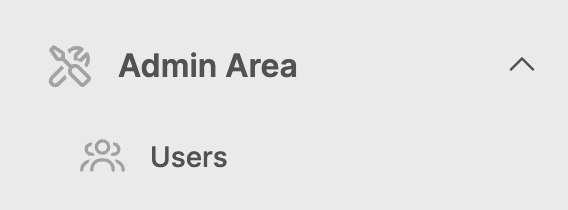
In order to create users, navigate to Admin Area in the lower left corner of Web Engine, expand that and look for Users.
Create a user account:
- Click on the Users section (interface will open on the right side of screen)
- Click on the Add user button in the upper right corner of the screen
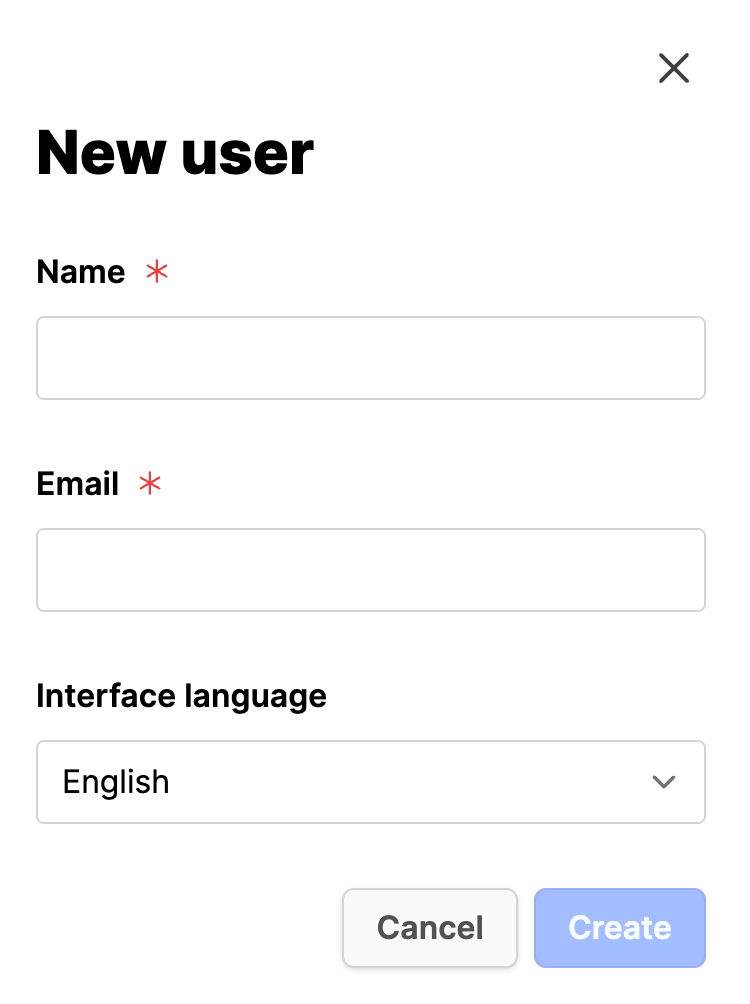
- Name: Provide the full name of the user.
- E-Mail: Provide a valid email address.
- Interface language: Set to the appropriate language.
- Click on Create button.
At this point the user will be sent a link a welcome email to set their password for Web Engine access. Once this is done, they will be able to login. If no groups have been assigned at this point, they will only be able to see the Dashboard in the backend.
Troubleshooting
Problem: "Welcome email doesn't arrive"
Solution: See this page
Problem: "Email already in use"
Solution:
- This means the user has an account somewhere in the system.
- To add them to a group, simply add their email. When trying to add a user to the group, the system should automatically find the user and assign the user to the group.
- Questions: should this user be transferred to your entity? Or are they receiving access to your entity as well as other responsibilities? Please keep user rights cleaned up, so the system remains secure.
Additional Information
- Editing user accounts and adding users to groups
- Creating user groups