
ToDo: Complete these notes
Overview
Once the events have been created in the backend (see article Setup Events module in backend), the pages and blocks can be added to the website for displaying the events in the frontend of the website.
Note: please check the website design, to know which path to follow when creating the website events pages.
- Expand the web module.
- Expand the website.
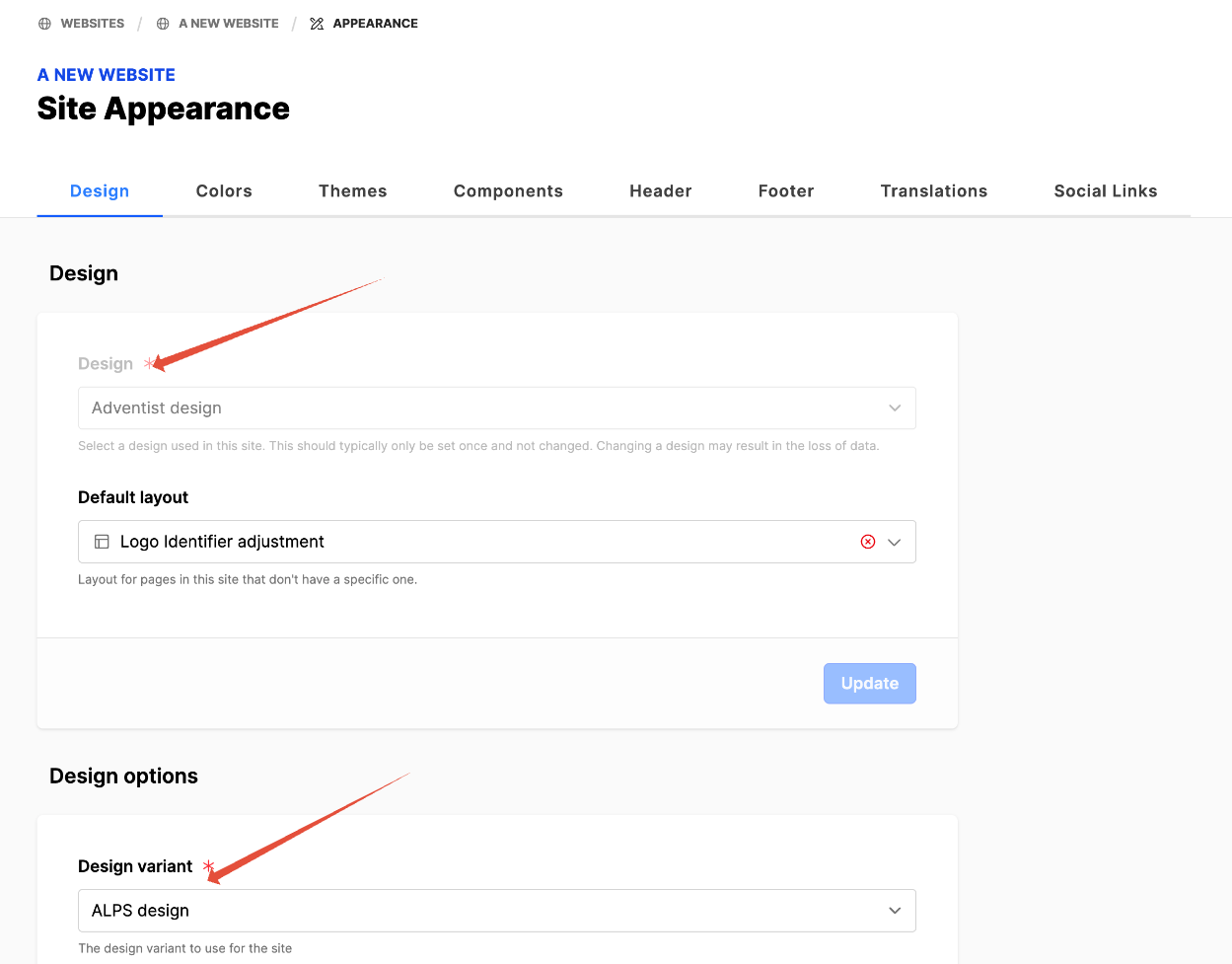
- Click on Appearance.
- Under Design, look at the Design field.
- Under Design options, look at the Design variant.
- Note these settings to use below.
How To
Add event pages to the website
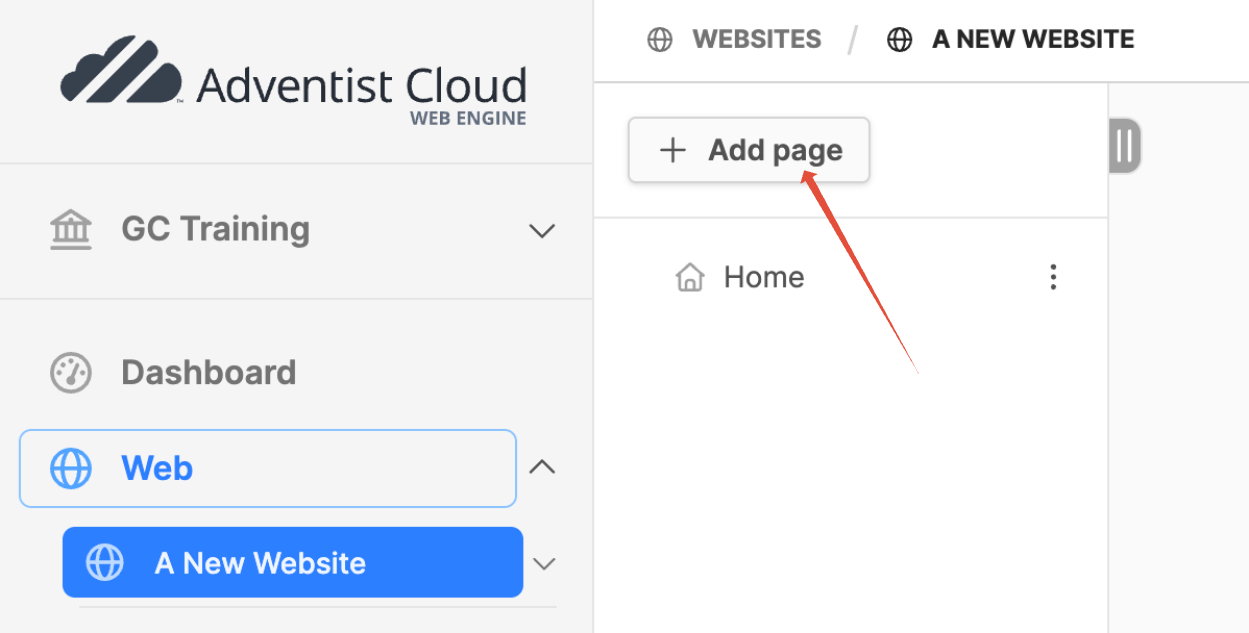
- Expand the web module.
- Click on the name of the website. (website pagetree will open on the right)
- Click on the Add page button at the top of the pagetree.
- The new page modal will appear.
- Title: Events.
- Click on Create button.
- The new page (Events) will appear in the pagetree.
Design: Adventist design (Variant: ALPS)
Additional information
- Setup Events module in backend
- Adding an event organizer
- Add an event region
- Add event categories
- Adding events