
Overview
Event Categories are topics the organizers will use to group events into. When the events are offered to the website visitors, they have an initial understanding what topic the event addresses based on the name of the category.
How to
Add Categories
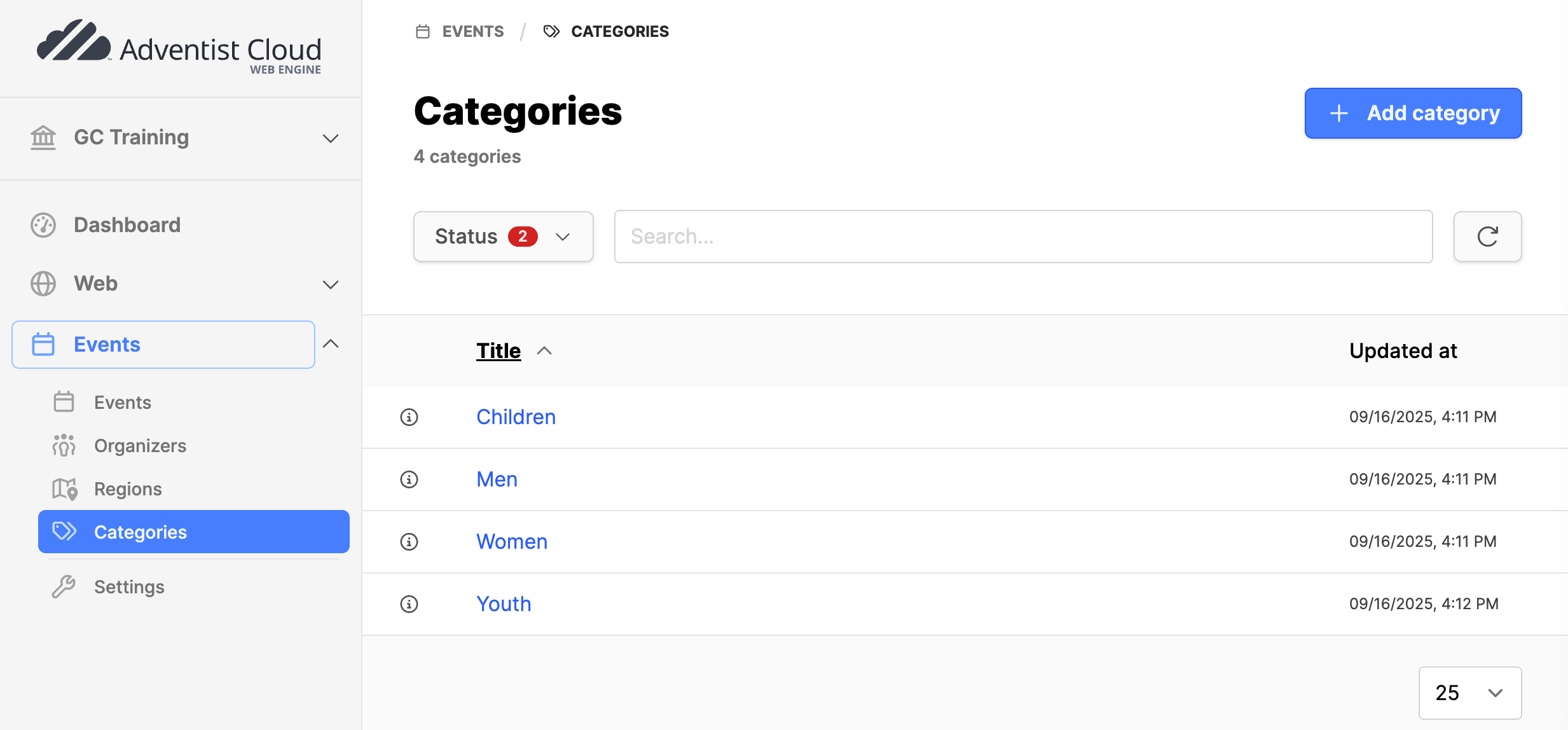
- Navigate to the Events module and expand it.
- Click on Categories submodule.
- If there are no categories, some will need to be added.
- Click on the Add categories button in the upper right corner.
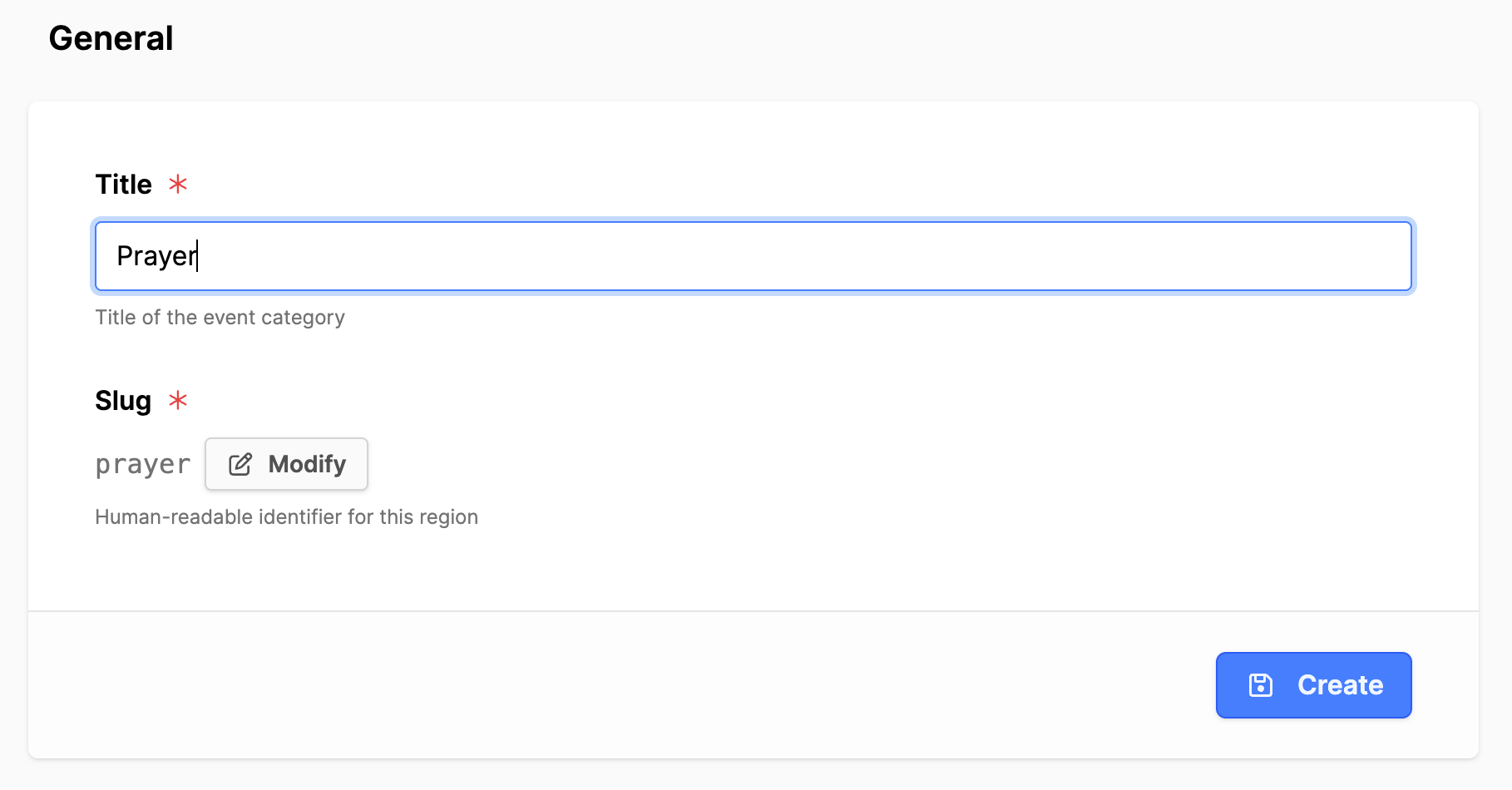
- Title: Add the title of the category.
- Click on Update button.
- If more Categories are needed, click on the Categories submodule again and click on the Add category button again.
Additional information
- Events module setup
- Adding an Event Organizer
- Add an Event Region
- Creating Events
- Add Event pages (ALPS)